
Drag & Drop,

Drag & Drop,
Organize Photos & Video Assets in Seconds.

File organization app to automate Mac photo and video asset management

One-time purchase, no subscription
Download Free
DockBuddy Organizer - Drag & Drop, Organize Photos & Video Assets in Seconds. | Product Hunt
v1.2.0 Update

What's New

More convenient and user-friendly. Introducing the new features of DockBuddy Organizer

Preset Feature

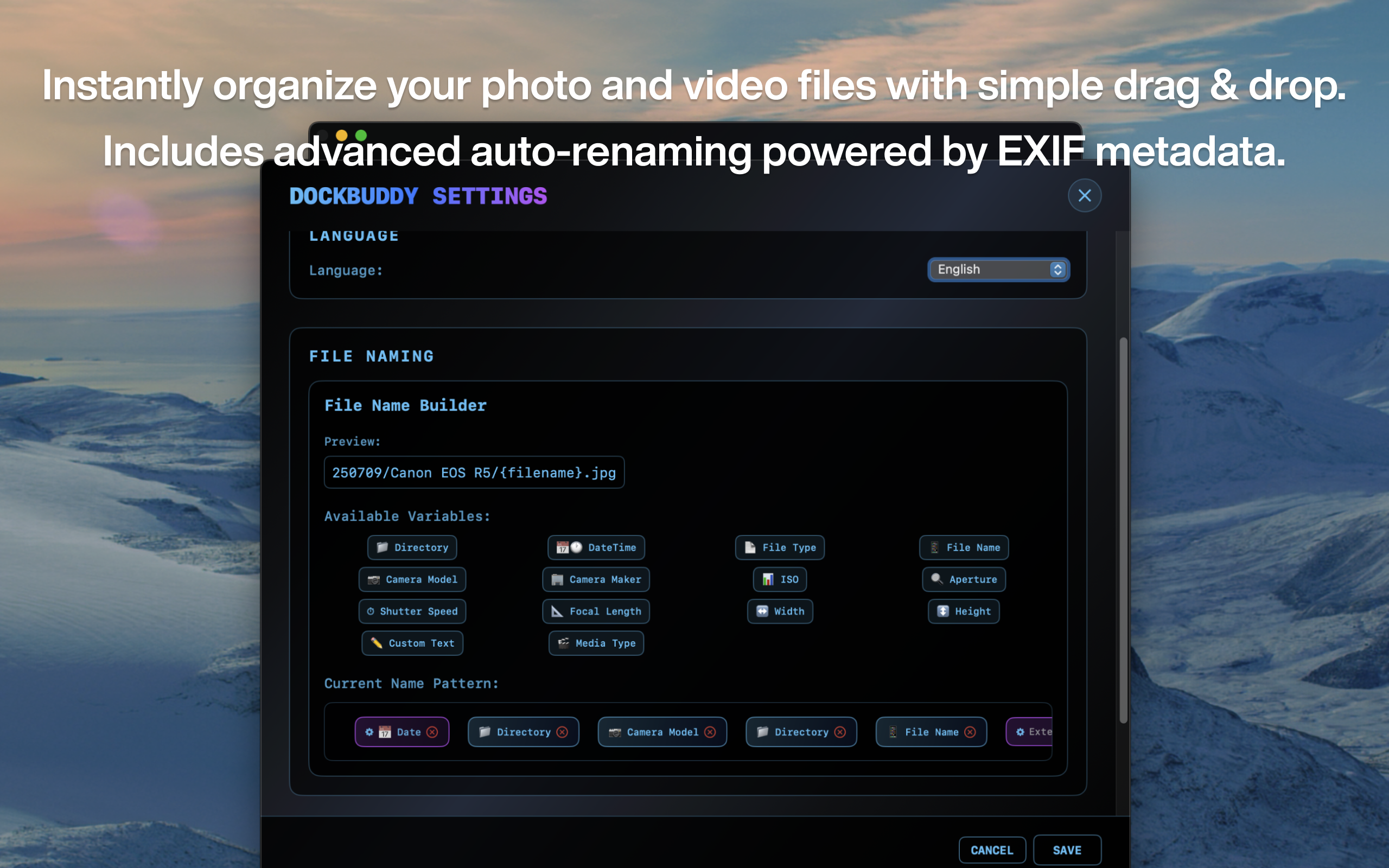
Save and manage filename formats as presets for quick access

  • Instantly switch between frequently used settings
  • Create, edit, and delete presets
  • Save optimal settings for each project

EXIF Fallback Improvement

Prevents empty filenames when EXIF information cannot be retrieved

  • Default values applied for camera model, maker, focal length, etc.
  • Automatic values like "UnknownCamera", "0mm"
  • Consistent filename generation for all images

GPS Location Support

Use longitude, latitude, and location EXIF data in filenames

  • Organize files based on shooting location
  • Perfect for travel photography organization
  • Flexible filename patterns with location data

Performance Improvements

Overall performance and stability enhancements

  • Improved progress display (shows both file count and data size)
  • Enhanced drag & drop UI stability
  • Optimized processing for large file batches

Free Yourself from Post-Shoot Organization

Tons of RAW files, video footage, and audio data. Are you spending too much time organizing after shooting?

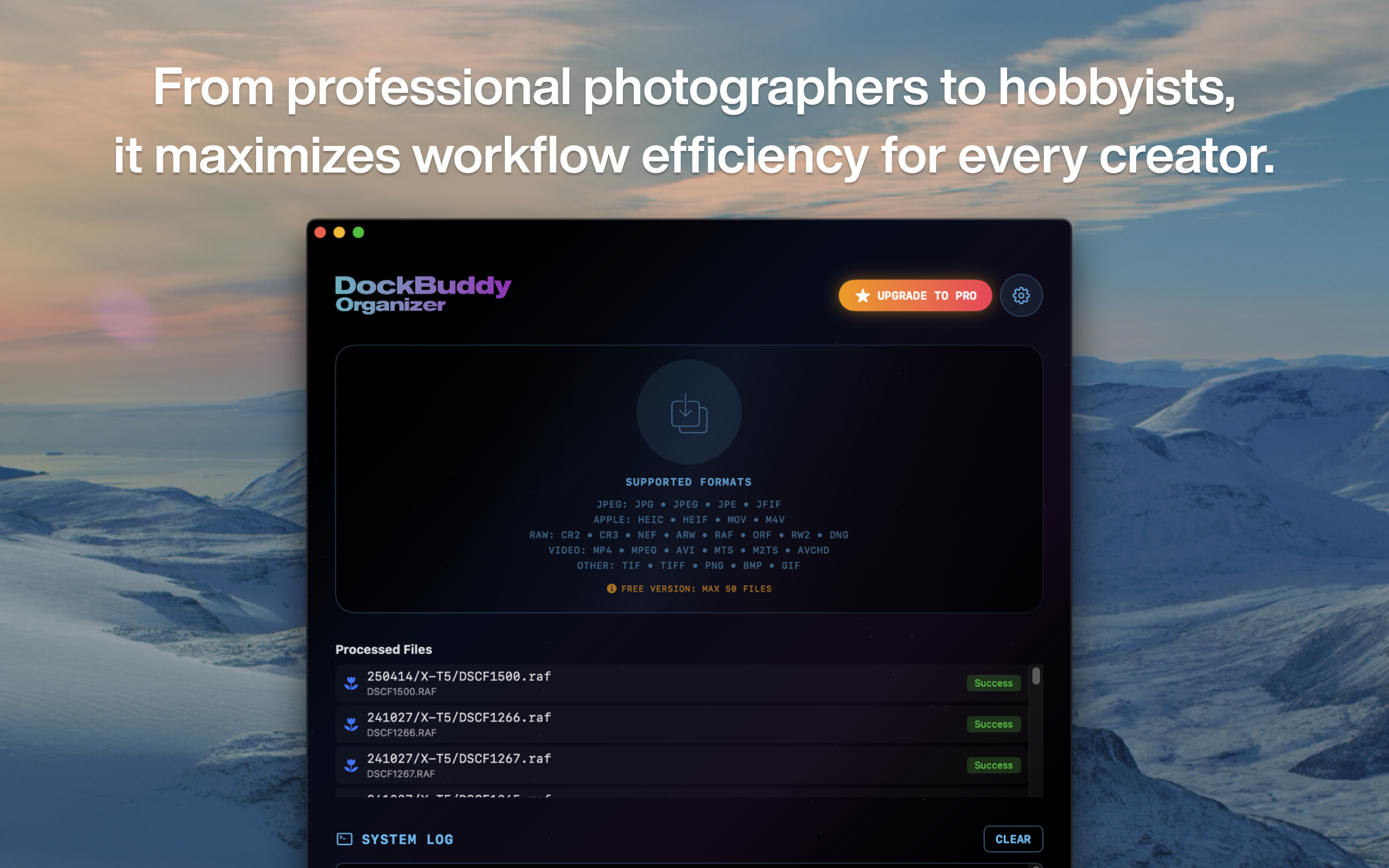
With DockBuddy Organizer, just drag & drop files onto the Dock icon, and they'll be automatically organized and sorted based on EXIF information and file types.
See it in action

Demo Videos

See it in action

Drag & Drop Auto-Organization

Just drop files onto the Dock icon and sorting is done automatically

Key Features

Practical features shaped by professional creators' needs

EXIF-Based Auto Sorting

Automatically sort photos and videos into folders based on shoot date, camera model, lens, GPS location, and more

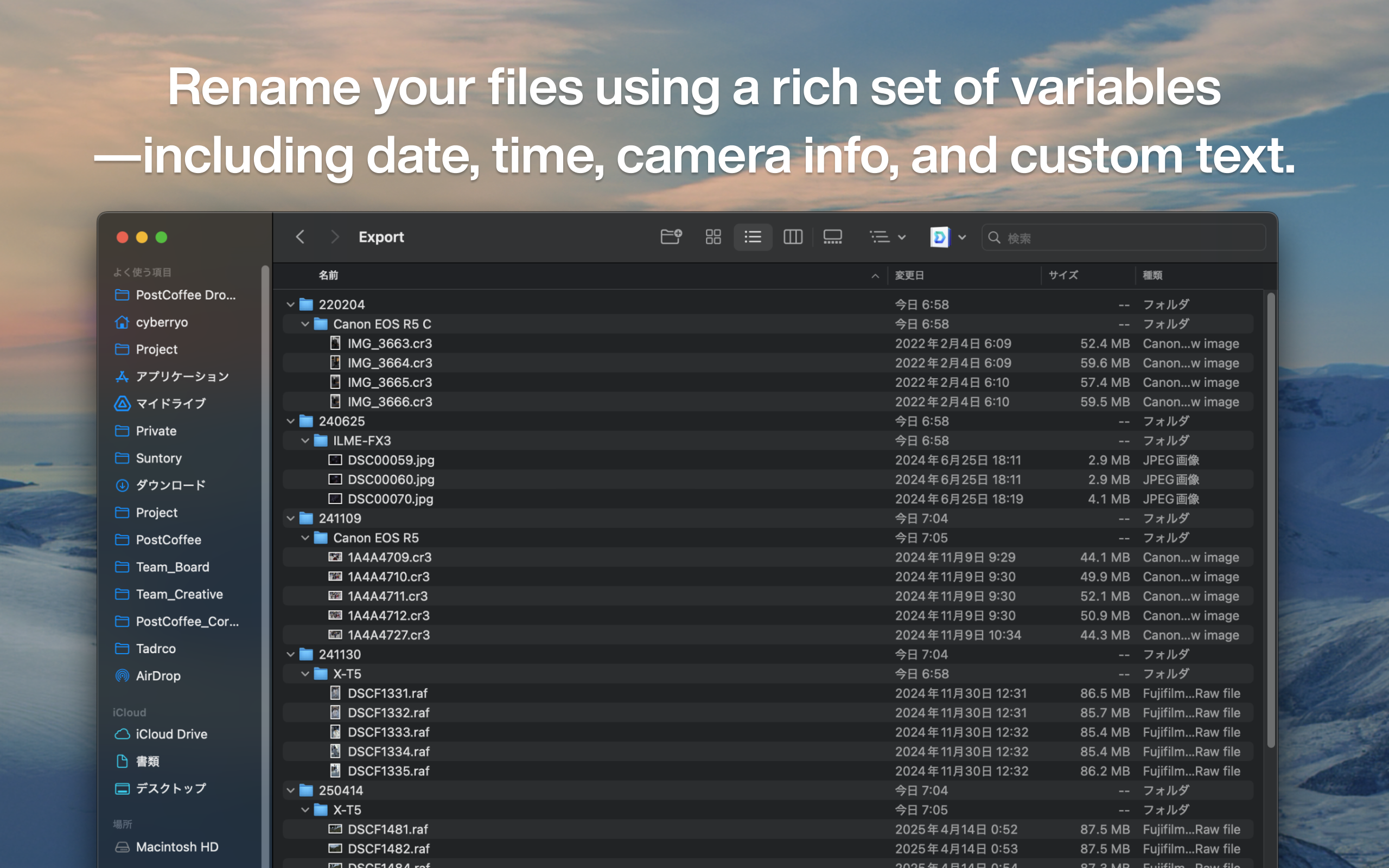
Flexible Filename Patterns

Combine 21 components (date/time, camera info, GPS, custom text, etc.) to create custom file naming rules

Preset Management

Save filename patterns and output destinations as presets. Instantly switch between optimal settings for each project

Fully Local Processing

Optimized for Apple Silicon for fast processing. Everything runs locally — files are never sent to the cloud

Supported Formats

Image Formats

JPG, JPEG, JPE, JFIF

Apple Formats

HEIC, HEIF, MOV, M4V

RAW Formats

CR2, CR3, NEF, ARW, RAF, ORF, RW2, DNG

Video Formats

MP4, MPEG, AVI, MTS, M2TS, AVCHD

Other Formats

TIF, TIFF, PNG, BMP, GIF

* Supports RAW files from all major camera manufacturers. Continuously adding new formats

Why DockBuddy is Chosen for Photo & Video Asset Organization

⚡️

High-Speed Processing

Fastest Mac photo organizer. Instantly organize massive RAW files

🎬

Photos & Videos Together

Supports 50+ formats including RAW, JPEG, HEIC, MOV, MP4. Organize all your media in one go

🤖

Full Automation

Reduce manual work by 90% with file organization automation. New standard for Mac file organizers

For Every Photo & Video Asset Organization Scenario

Dramatically improve photo and video editing workflow efficiency with Mac file organizer

📷

Streamline RAW Processing with Mac Photo Organizer

Auto-organize by camera model, lens, and ISO based on EXIF info as a Mac photo organizer

Streamline Editing with Video Asset Organizer

Automate video editing asset organization. Organize video assets by frame rate, resolution, and codec

👥

Consistent Organization Rules

Save and reuse custom organization rules. Maintain consistent folder structure across projects

Use Cases for Professionals & Creators

Wedding Photographers (Photo Organization)

Common Challenges:

  • Thousands of photos shot per day
  • Using multiple cameras
  • RAW and JPEG mixed
  • Need to sort for delivery and editing

Solved with DockBuddy:

Auto-organize by shoot date/time, camera model, and file format with Mac photo organizer. Instantly sort into folders by venue and bride/groom

Video Production Companies (Video Asset Organization)

Common Challenges:

  • Multiple projects running simultaneously
  • Large volumes of assets, complex management
  • Difficult to share among team members
  • Cumbersome version control

Solved with DockBuddy:

Create project-specific rules with video asset organizer. Unify video editing asset organization across the team

YouTube Creators (Video Editing Asset Organization)

Common Challenges:

  • Producing multiple videos per week
  • Thumbnails, videos, and audio scattered
  • Difficult archive management
  • Time-consuming search for past assets

Solved with DockBuddy:

Organize videos and thumbnails by date and title with video asset organizer. Fully automate video editing asset organization

Product Photography Studios

Common Challenges:

  • Hundreds of products shot per day
  • Need SKU-based management
  • Organizing multiple shooting angles
  • Managing before/after retouching

Solved with DockBuddy:

Recognize filename patterns to auto-sort by SKU. Auto-create subfolders by shooting angle

Use Cases for Daily Life & Hobbies

Family Trip Memory Organization

Common Challenges:

  • Photos from camera and smartphone mixed
  • Dates scattered, hard to organize
  • Same photo saved multiple times
  • Hard to find photos to share with family

Solved with DockBuddy:

Auto-organize by destination and date based on shoot date and location info. Detect duplicate photos for a clean memory album

Children's Growth Records

Common Challenges:

  • Tons of photos and videos shot daily
  • Can't keep up with organizing by month
  • No time to select best shots
  • Hard to select photos to share with grandparents

Solved with DockBuddy:

Auto-sort by year/month and event. Integrate with face recognition and favorites to never miss precious moments

Hobby Photography

Common Challenges:

  • Complex RAW and JPEG management
  • Want to organize by shooting location
  • Want to manage sample shots by lens
  • Distinguish SNS posts and archives

Solved with DockBuddy:

Auto-organize by camera, lens, and settings from EXIF info. Easily create folders by location or theme

Events & Party Photography

Common Challenges:

  • Collecting photos from multiple people
  • Need to organize by photographer
  • Complex event-by-event management
  • Creating shared folders is tedious

Solved with DockBuddy:

Auto-organize by photographer, date/time, and event name. Easily create shared folders for participants to instantly share memories

Beautiful and User-Friendly

Native application that perfectly harmonizes with macOS

Main Interface

Main Interface

Simple and intuitive operation screen

Rule Settings

Rule Settings

Customizable sorting rules

Processing Results

Processing Results

View organization results at a glance

Start for Free

Try the free version first. Upgrade to PRO when you're ready

Free

FREE

$0

Free forever

Up to 50 files per batch
  • EXIF-based auto organization
  • Flexible filename patterns
  • Preset management
  • GPS location-based sorting
Download Free
Recommended
DockBuddy Organizer

PRO

$9.99

One-time purchase, no subscription

Unlimited file processing
  • Unlimited file processing
  • EXIF-based auto organization
  • Flexible filename patterns
  • Preset management
  • GPS location-based sorting
Upgrade to PRO

Requires macOS 13.0 or later

* Price shown is for the US App Store. Prices may vary in other countries and regions.

Frequently Asked Questions

Answers to your questions about DockBuddy Organizer

DockBuddy Organizer|Photo & Video Asset Organization App for Mac|Automated File Management