Resizing images for SNS posts, outputting multiple sizes for App Icons. Tired of manual work every time?
With DockBuddy Resizer, just drag & drop images and select a preset. Convert multiple images to your desired size at once.
Mac image resizer with SNS optimization & batch App Icon generation
Resizing images for SNS posts, outputting multiple sizes for App Icons. Tired of manual work every time?
With DockBuddy Resizer, just drag & drop images and select a preset. Convert multiple images to your desired size at once.
See it in action
See it in action
Just drop images and select a preset to batch resize
Practical features shaped by professional needs
Drag & drop multiple images to batch resize. Process hundreds of images in seconds.
Built-in presets optimized for Instagram posts, Instagram Stories, X/Twitter posts, and more.
Generate all sizes of App Icons for macOS (16px-1024px) and iOS at once. Essential for developers.
Save frequently used size settings as presets. Apply the same settings with one click next time.
Those who post photos to blogs and social media
Those who process large volumes of product images for e-commerce
Those who need to create App Icons
Those who optimize images for websites
Intuitive interface, no complex operations needed
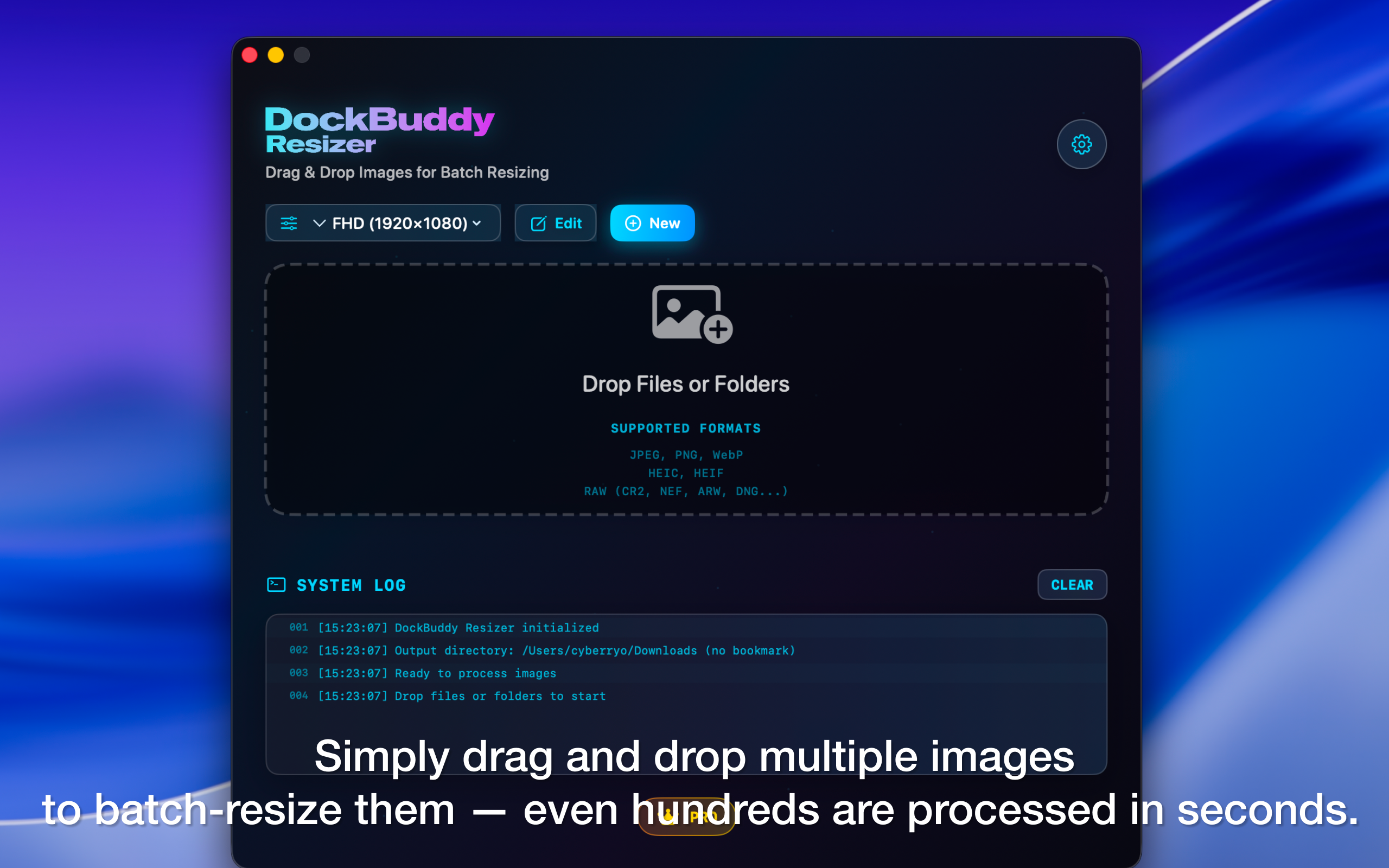
Just drop images to batch process
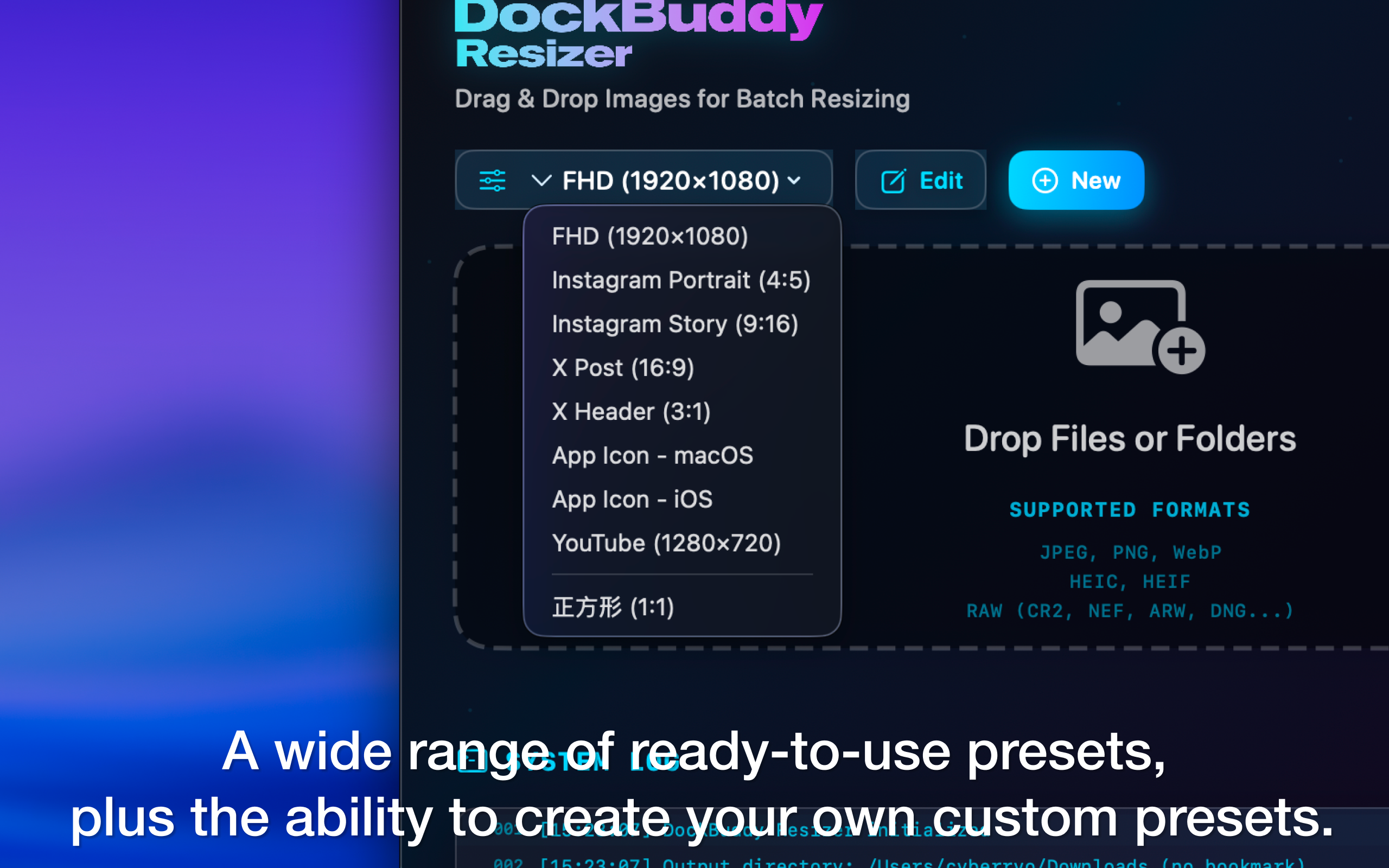
Built-in presets for SNS and App Icons
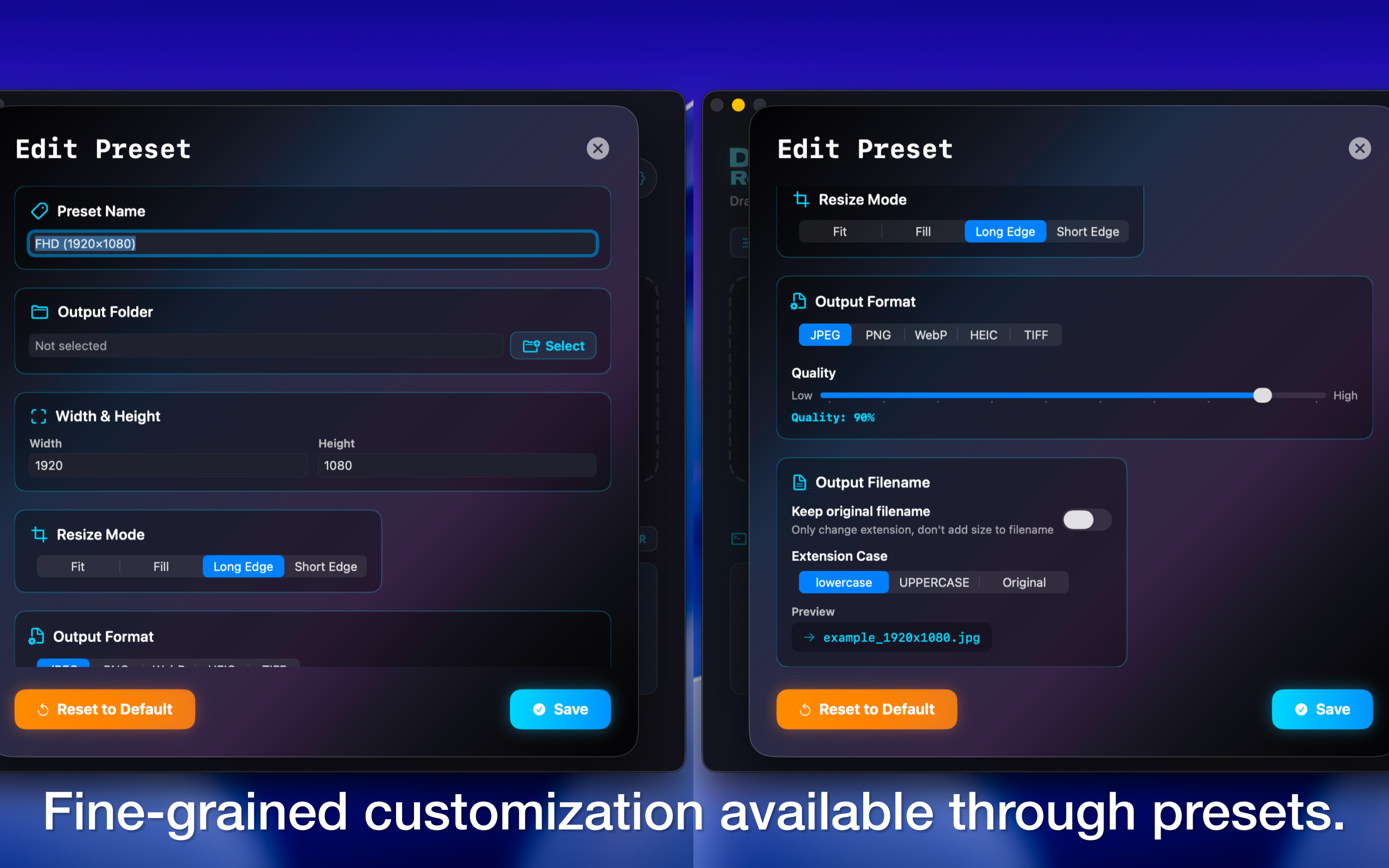
Freely set format, quality, and destination
Try the free version first. Upgrade to PRO when you're ready
Free forever
One-time purchase, no subscription
Requires macOS 15.5 or later
* Price shown is for the US App Store. Prices may vary in other countries and regions.
Answers to your questions about DockBuddy Resizer